Every project written entirely by me. No AI-generated code, no copy-paste. Just C++ and Raylib.
01
C++RaylibGameFinished0% AI
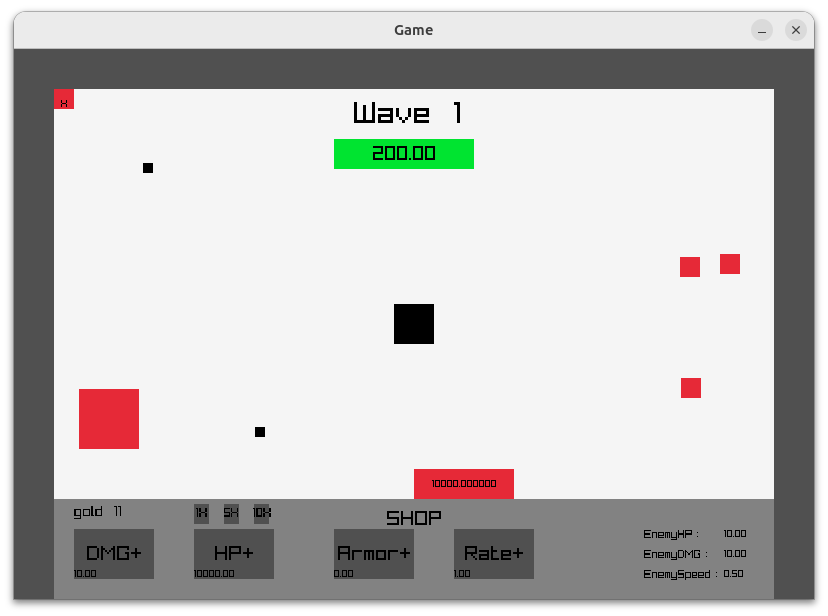
Defend a Cube
My first real C++ project — built to learn, not to ship fast.
My first ever real C++ project. The code isn't the cleanest and the structure isn't perfect — but that's the point. I spent around 2 weeks learning C++ and Raylib from scratch to get this far, without touching AI once.
I really wanted to learn by myself, because I think vibe coding won't teach you anything. Every bug I hit, I had to actually understand and fix — no shortcuts.
ℹ This project predates my UiElements framework — the UI helpers were written inline before I knew about splitting code across files.
What I built
Wave-based enemy spawner with fixed spawn points
Directional projectile system with normalized vectors
My first step into multi-file C++ — a small reusable UI base class.
⚙
Library — no screenshot
Header + Implementation
After finishing Defend a Cube, I noticed I was copy-pasting the same UI helper code everywhere. So I built UiElements — a small base class that handles mouse tracking, hover/click detection and drawing boxes with centered text.
This was my first time properly splitting code across a .h header and a .cpp implementation file, and using inheritance to share functionality between classes. No AI — I wanted to actually understand how includes and class hierarchies work in C++.
What I built
Mouse rectangle tracking via updateMouse()
Hover and click detection with collision checks
Centered-text box drawing helpers
Clean .h / .cpp split with #pragma once
Inherited by UI, PauseMenu, GameOver in Cube Runner
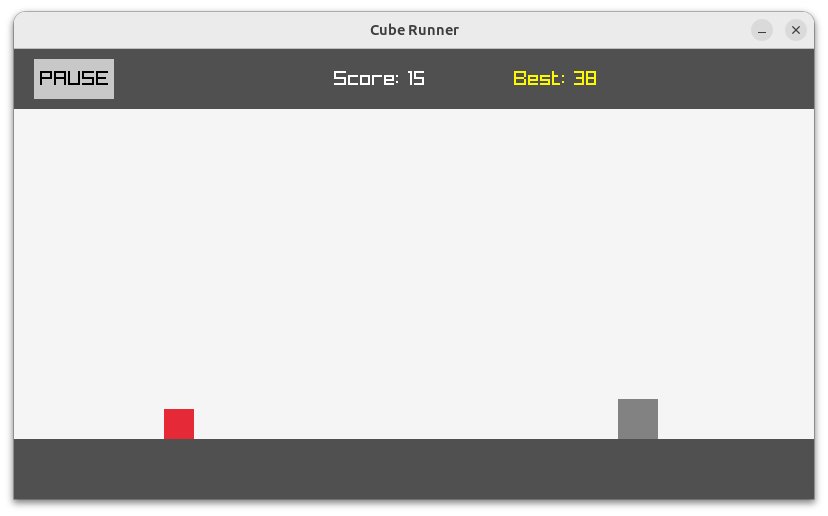
Jump. Survive. Don't get hit. Physics and JSON save — built from scratch.
My second project — this time with a clear goal: understand physics and persistent data. I implemented a velocity-based gravity and jump system, and used cJSON to save and load the highscore between sessions.
Designed to eventually run as a web app. The C++ → web translation is still in progress. No AI — every line written and debugged by hand.
A custom editor for building UI layouts — made with Raylib, built to understand tooling from the inside.
🛠
Screenshot coming soon
Still in development
Build progressEarly stage
✓ Window & render loop
✓ Click-to-place rectangles
✓ Screen-relative coordinate system
○ JSON export of placed elements
○ UI element types (buttons, panels…)
○ Select & delete elements
○ Full layout export
Instead of using an existing editor, I'm building my own — specifically for creating UI layouts. The goal is to visually place and arrange UI elements and export them to a usable format.
This is my most complex project so far. I'm also using it to learn how to work effectively with AI as a tool — writing the architecture and logic myself, using AI to speed up the parts where I already know what I want.